The Revit plugin and RÜM Studio. Free.
A RÜM tab in your Revit to organize sheets, views and parameters, and RÜM Studio to render, walk through and measure the model on your computer. All we ask for is your email.
What the RÜM tab brings.
Three panels on the Revit ribbon. Buttons that talk to the platform use your RÜM session; the utilities work on their own.
Sign-in and Start with RÜM
Sign in, pick the project and get the model ready with the parameters the platform uses.
BIM panelExport to RÜM
Upload the model geometry and data to the platform viewers: coordination, 4D, quantities and project panel.
BIM panelImport RÜM data
Bring back into Revit the parameters your team edited on the platform.
BIM panelIssues and files
The project coordination issues and its file room, without leaving Revit.
BIM panelFinishes
Send the model finishes to RÜM and pull back the approved ones.
BIM panelTime Tracker
Log your hours on the project while you model.
BIM panelProject parameters
A short, clear list: WBS, cost code, status, system, location, issues and maintenance.
UtilitiesSheets, views and templates
Create, renumber and organize sheets; duplicate views; apply templates in bulk.
UtilitiesRevisions and clouds
Manage revisions and clouds, and send them to RÜM.
UtilitiesCAD cleanup and families
Find heavy CAD imports and line patterns; audit and fix families.
UtilitiesSchedule to Excel and units
Export a model schedule to Excel and convert units on the fly.
UtilitiesRÜM Studio
Renders, walkthroughs and sun, light, heat and wind studies of the model on your computer, with your own graphics card. Installed separately with RUMStudio.exe.
Visualization
RÜM Studio: renders and studies from the same model.
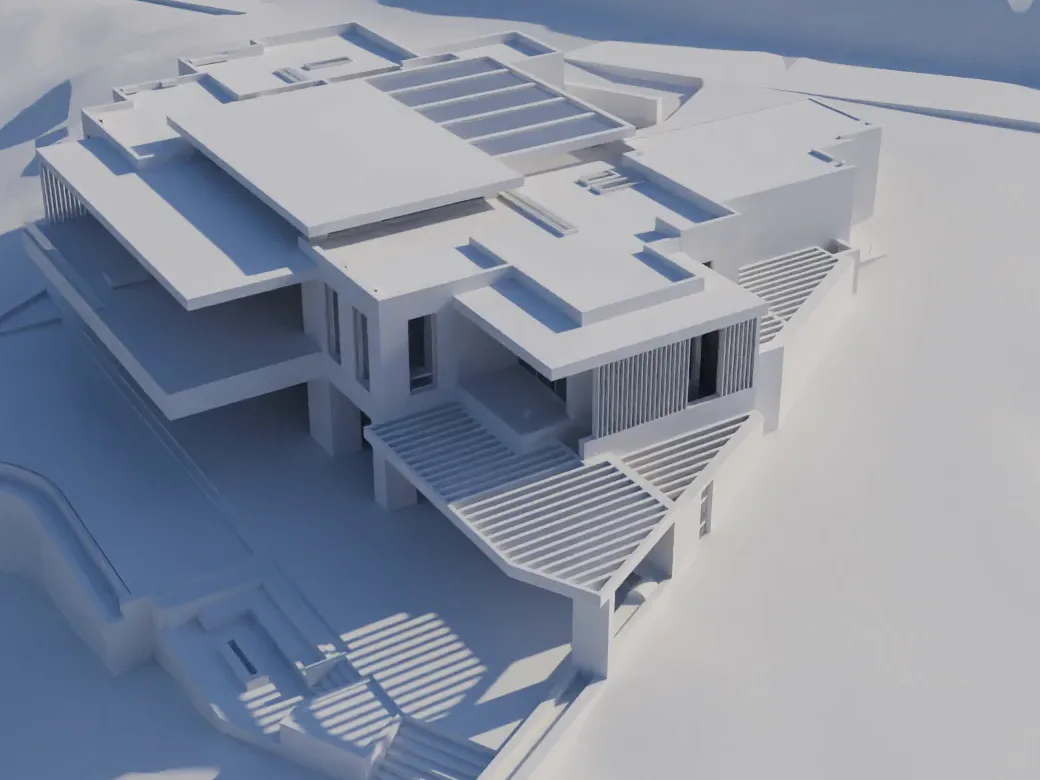
From Revit you open the current view in RÜM Studio. There you render it, walk through it and measure sun, light, heat and wind with the site’s real climate.
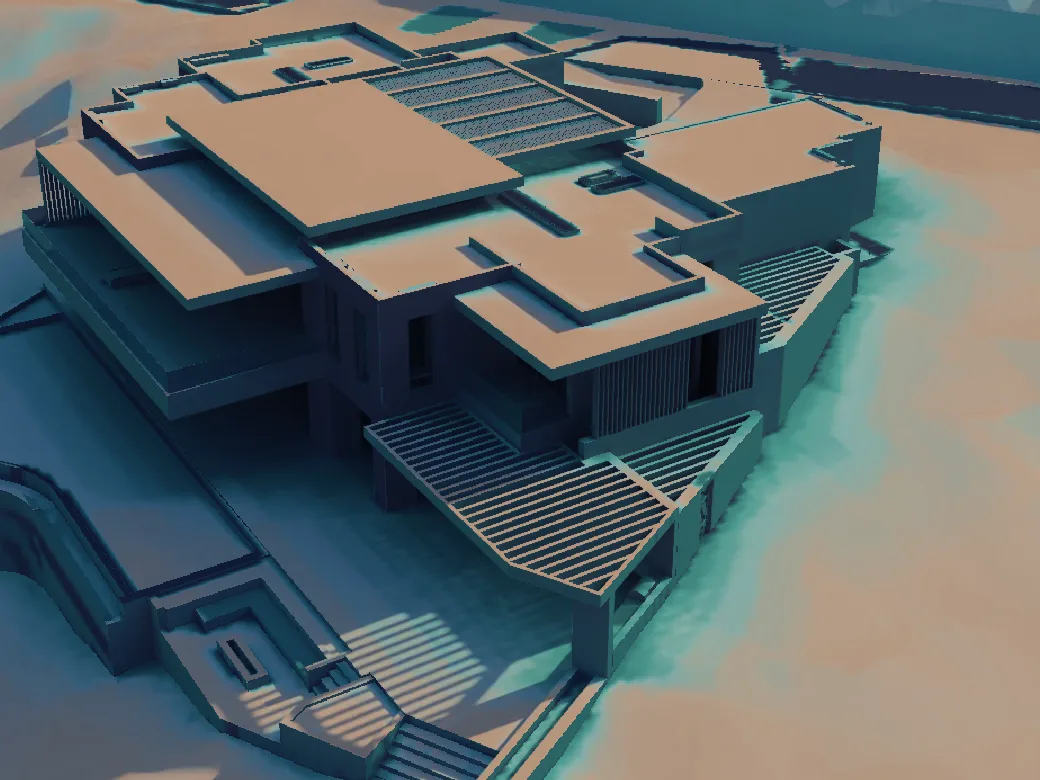 Radiation · summer
Massing model
Renders and walkthroughs
Walk the model with its Revit materials and real light, on your own graphics card.
Daylight and electric light
Lux per room, LEED v4 option 2, sDA and ASE; luminaires with maintained level and uniformity per EN 12464-1.
Sun and heat
Radiation on every face, sun hours, cooling and comfort per room, month by hour.
Wind
Pedestrian-level speed and Lawson comfort around the building.
Validated
Thermal engine against ASHRAE 140, electric light against CIE 171 and wind against AIJ case A.
Wind on the model
The air RÜM Studio computed around the house, 1.5 m above the ground, the terrace or the roof. Hover or tap to read the speed.
Free wind 4.1 m/s


Sun on the model
Summer radiation on the house and the terrain, with the hill’s shadows and the average per orientation.

What pays off
Tests each upgrade on its own —wall, glass, finish, overhang, screen— and ranks them by what they deliver.
It all runs on your computer, with the site’s weather file (EPW), and it’s free.
What’s free and what Intelligence adds.
What runs on your computer is free. What lives in the cloud or connects your team comes with RÜM Intelligence.
With your email
Free
- The RÜM tab with all its utilities: parameters, sheets, views, templates, revisions, CAD and family cleanup, and schedules to Excel.
- RÜM Studio: renders, walkthroughs and sun, light, heat and wind studies of the model, on your computer.
- Your RÜM Core account: your team, tasks and to-dos in one place.
RÜM Intelligence
$389 MXN / month
- The model you export, in the BIM viewers: coordination, issues, 4D/5D and quantities.
- Claude, ChatGPT or Cursor working with your open Revit model and with your projects.
- Presentations, client panel, Dropbox and 10 GB per project.
Your AI assistant gets into Revit too.
- Reads the model: levels, rooms, views, sheets, schedules and parameters.
- Exports sheets to PDF or DWG into a folder on your PC.
- Creates and edits views, schedules and legends.
- Models walls, floors, rooms, levels and grids, and runs Dynamo routines.
With RÜM Intelligence and the plugin open, Claude, ChatGPT or Cursor work with the model you have open. The AI is your assistant’s; RÜM gives it access.
Only the coordinator can request model changes, and Revit asks for your permission before each one.
Install it in three steps.
Download RUM.exe and RUMStudio.exe
The plugin covers Revit 2025 and 2026 and installs only the versions you have. RÜM Studio installs separately and needs no admin rights.
Run them with Revit closed
If Revit is open, the previous plugin can’t be replaced.
Open Revit and sign in
On the RÜM tab press RÜM sign-in, log in and pick your project. From there you open RÜM Studio with the current view.
Want it across your whole firm?
We help you roll it out with your team: parameters, templates, model publishing and coordination workflow.